Showing posts with label gui. Show all posts

Monday, May 6, 2013

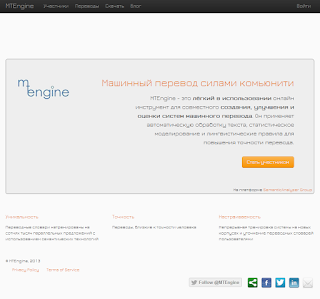
MTEngine: switching UI languages

This is latest update from our test environment:

We have implemented a feature of respecting your browser language. That is, if you browser tells us en-us, we'll show the English version and if it is ru-ru, it is going to load the Russian version.


Friday, April 26, 2013

MTEngine: latest developments

Here are the latest developments going on on our test environment: MTEngine_test:

1. We took a snapshot of sentences from opencorpora.org and are working on pushing these into the new UI feature, called "tasks". Each task is one Russian sentence to be translated and rated by the user.
2. The feature with a free-form translation remains in the UI and is pushed into its own tab (screenshot in the Russian version of this message below).

For the production version of MTEngine we have done one improvement: when registering and using the system for the first time, the dictionary entries will be looked from the common dictionary, contributed by all our users.

Happy translations!


Same in Russian:

Свежие разработки в тест версии проекта MTEngine:

1. Мы взяли дамп предложений проекта opencorpora.org и работаем над новой фичей под названием "задания". Каждое задание -- это одно предложение на русском языке для перевода и оценки пользователем.
2. Фича с произвольным переводом пользовательских предложений на русском языке будет находится в отдельном табе:


Мы сделали улучшение и в продакшн версии: теперь, когда пользователь регистрируется и делает первые переводы, словарные единицы берутся из общего переводного словаря, который создали все пользователи проекта.

Успешных переводов и хороших выходных!


Tuesday, March 12, 2013

MTEngine: new test UI features

MTEngine project is going forward and we are now testing new features in the test UI, that have been released last week:

1. Text boxes for editing the translation dictionary are wider now, comfortable for editing even on a mobile.
2. The translation progress indicator is now in the user focus area, right under the text area with the sentence in Russian.
3. The text area with the sentence in English has light-gray background now, similar to the one's of Google Translate service.

In the pipeline:
1. New translation history feature.
2. Linking VK profile for userpic in your user profile.
3. Content for pages "Download" and "About project" (in Russian only).

Feel free to join the testing! You need to know Russian and English.

Test UI URL:   http://semanticanalyzer.info/mtengine_test/

То же сообщение на русском:

Нововведения в тестовом UI:

1. Текстовые поля для правки словаря теперь шире, удобно даже на мобильном телефоне.
2. Индикатор прогресса перевода теперь находится в поле зрения пользователя, прямо под текстовым полем с предложением на русском языке.
3. Поле с переводом на английский теперь светло-серого цвета, как у Google Translate :)

На очереди:
1. Новая фича, где можно посмотреть историю своих переводов.
2. Подключение профиля вконтакте для загрузки юзерпика.
3. Контент для страниц "Скачать" и "О проекте".

Тестовый UI: http://semanticanalyzer.info/mtengine_test/

Thursday, April 8, 2010

An idea for GUI designers and developers -- a standalone app / OS level change.

When I'm under VPN & putty I sometimes need to run an sftp client. Currently I have two options to use: WinSCP (I find it easier to use in some cases, like quickly watching / editing the contents of different text files) and Secure Shell Client from SSH. For some reason the first client loads in about 2-3 minutes after I log in. So: it would be great to have an option to configure launch of a program depending on a certain event, like putty execution, connected to a certain host.

This may give a lot of opportunities to quite flexibly configure your GUI world and save a lot of time spent otherwise on the monkey repetitions.